The Monday-morning workflow for Roblox community managers
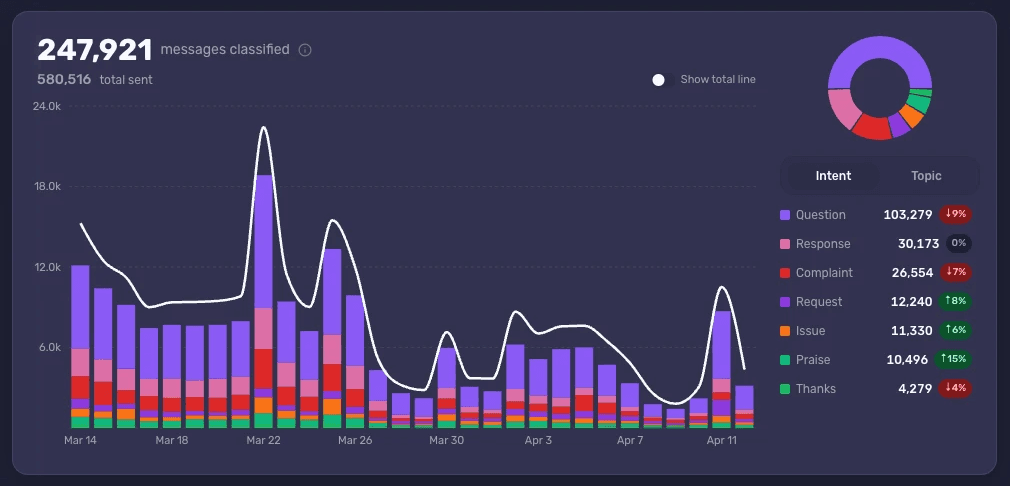
It's 9am Monday on a Roblox community Discord. Forty thousand new messages came in over the weekend. Your producer's standup is at 10. Your job is to walk into that meeting with two findings — what shifted, what to do about it — without spending the morning scrolling.
This is the workflow we see at the studios that pull this off. It takes about 30 minutes once a week, and it replaces the half-day of scrolling that most Roblox community managers still default to.
Why Monday is the moment
Weekend messages on a Roblox Discord are denser and more candid than weekday messages. School-aged players have time. Players who hit something frustrating on Friday are still venting on Saturday. Players who fell back in love with the game are posting clips on Sunday. The signal you can read on Monday morning is the most honest read of the week.
The risk is that nobody reads it on time. By Tuesday afternoon the conversation has decayed and the next thing has happened. Catch the signal before it fades, and the rest of the week can react. Miss it, and you're reconstructing the weekend from memory by Wednesday.
The 20-minute read
Open Accord and go straight to your saved weekend Report. The Report should already be filtered to the last 72 hours and broken down by Topic and Intent.
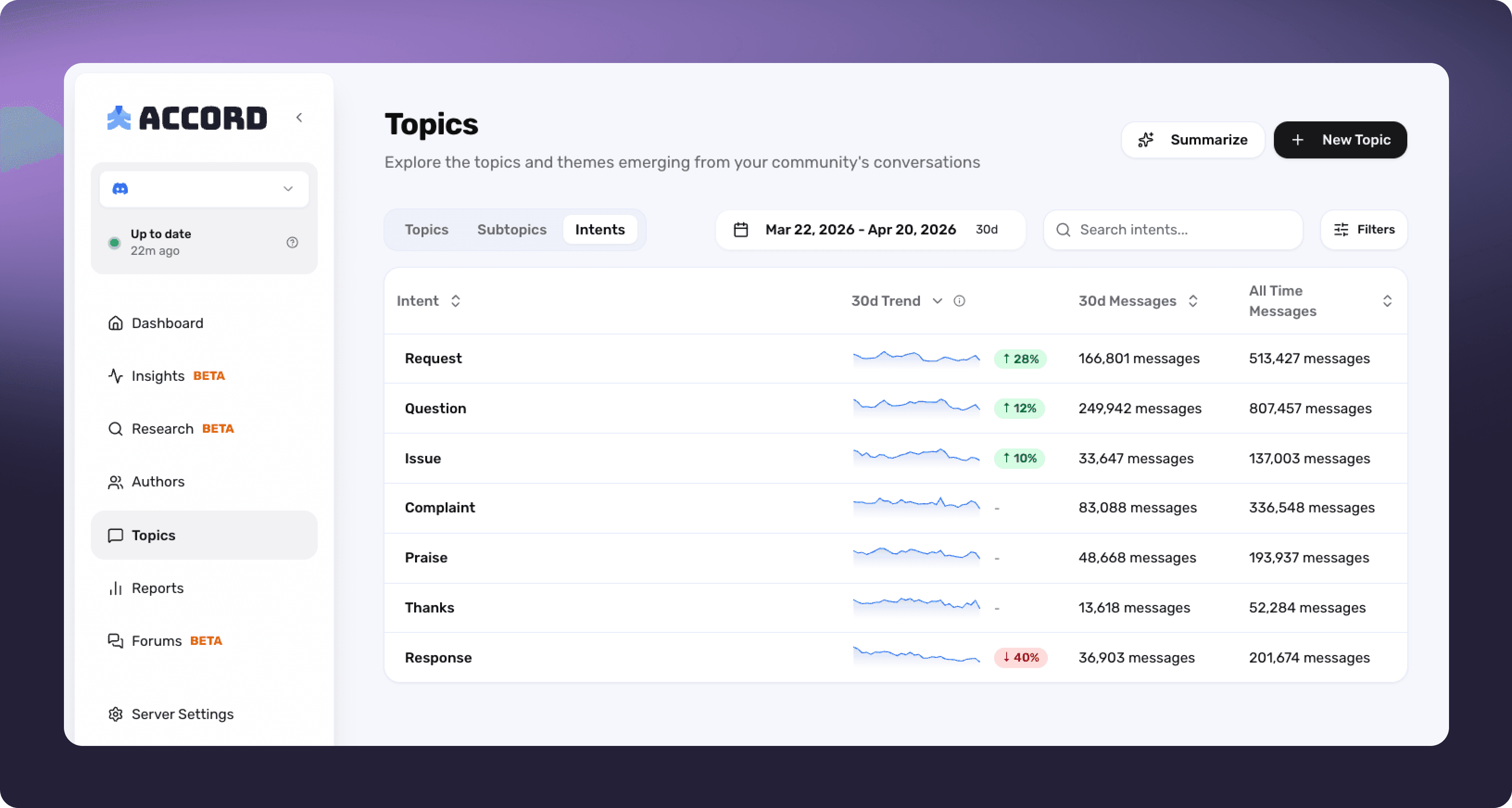
What you're looking for, in this order:
Sparkchart shifts on Topics. Anything where the 30-day mini-chart has visibly changed direction is worth two minutes of attention. Steady Topics get skipped.
Intent ratio on the noisy Topics. A Topic with rising volume and a Complaint share north of 40% is your Monday-morning headline.
New Mentions. A specific item, character, or feature you didn't see last week is a tell that something concrete is on players' minds. The Mentions list usually surfaces these inside the first scroll.
Praise that didn't decay. This is the hidden good news. If players are still thanking you for last Wednesday's update on a Sunday night, the change worked.
Generate a Summary on the Report and save it to history. The history matters: looking back at four weeks of Monday summaries side by side is how you spot drift that any single week would miss.
The 10-minute cohort sanity check
Once you've found the one or two stories that the Topics view is telling you, sanity check them against cohorts before you treat them as truth.
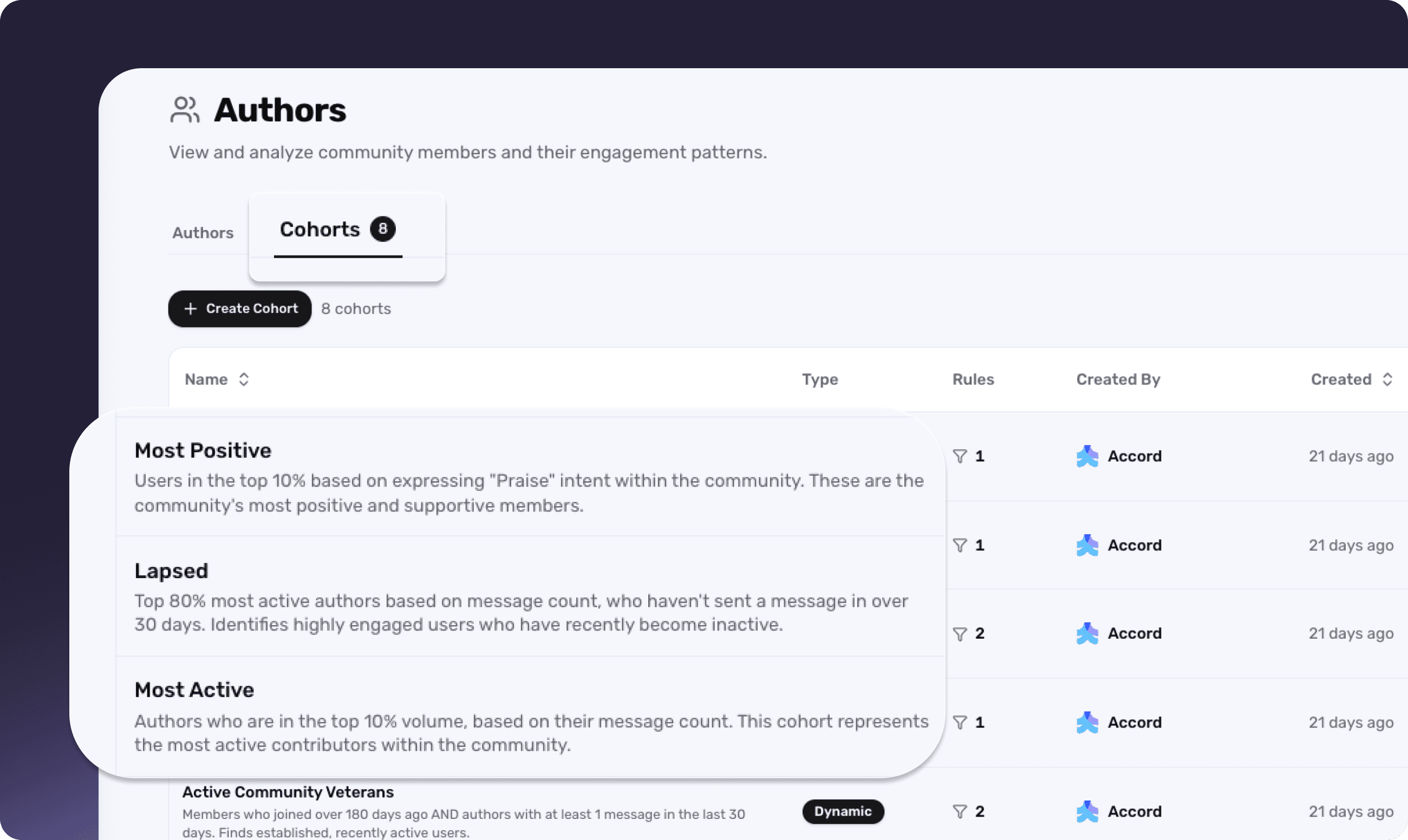
Pull two cohorts on whichever Topic is hottest:
The squeaky-wheel cohort — accounts whose own messages are mostly Complaint by ratio.
The active veteran cohort — long-tenured players posting heavily and across many Topics.
If both cohorts agree on a Topic, the signal is real and you can act on it. If the squeaky-wheel cohort is loud and the veterans are quiet or disagree, you've caught yourself before you over-indexed on a small group. This cohort-by-ratio shortcut is the single highest-impact habit a Roblox CM can build, because it prevents the most expensive mistakes a studio makes from Discord feedback.
What to bring to the producer's Monday standup
Two findings. Not ten.
One actionable item. A specific Mention-driven complaint with three quoted messages and a link to the source. This is the candidate for the producer to slot into the week's work.
One macro reading. A one-line trend assessment, ideally tied to last week's reading. "Praise-to-complaint ratio on the new boss recovered 15 points week-over-week." or "Server lag complaints have crept up four weeks in a row." or "Veteran-cohort sentiment on monetization is steady; new-account complaints continue to rise."
Producers don't need a recap of the weekend. They need a fixable thing and a tracked thing.
The hour-a-week setup that makes this possible
The 30-minute Monday read is only fast because the prep was done in advance. This is the part new Roblox community managers skip and then wonder why their Mondays still take five hours.
Spend an hour, once, setting up:
A saved weekly Report filtered to the last seven days, broken down by Topic and Intent.
The two core cohorts — squeaky-wheel by ratio of Complaint messages, and active veterans filtered to your Discord Veterans role or equivalent.
A list of Custom Topics for things specific to your game that the auto-detected Topics might split apart — a specific shop, a specific boss, a specific in-game currency.
These persist. You're not rebuilding them every Monday. You're opening them.
The community managers who run this loop describe Accord as one of the first things they click on when they open their computer in the morning. That's not because the tool is sticky — it's because reading the server is now a 30-minute ritual instead of a five-hour grind. The shift from grind to ritual is the actual product.
See what Accord surfaces in your Roblox community's Discord — book a demo.