Discord Threads vs Forum Channels for Game Communities
A community manager at a game studio is setting up Discord for the DLC launch next week. Players need somewhere to discuss the update, somewhere to file bug reports, somewhere to ask questions a live chat channel won't scale to. Threads? Forum channels? Both?
The answer changes more than your server layout. It changes what shows up six months later when someone asks "what was the community actually saying about the DLC?" — because threads and forums don't just feel different to post in, they carry completely different conversation shapes for anyone reading the server after the fact.
The short version
Threads are temporary, chat-native side-conversations that branch off a regular channel and expire by default. Think of them as a way to say "let's take this one topic somewhere quieter."
Forum channels are structured, permanent post collections — closer to a subreddit than a chat channel. Each post has a title, tags, its own discussion, and stays until archived.
Both have their place. Picking the wrong one makes conversations hard to find, hard to moderate, and almost impossible to analyse.
What threads actually are
Threads live inside a parent text channel. A moderator or any member with permission can right-click any message and spawn a thread from it. The thread shows up in the parent channel's sidebar until it auto-archives — 24 hours, 3 days, 7 days, or never, depending on the Nitro tier and server settings.
Key properties:
Scoped to a parent channel, so permissions inherit.
Members aren't automatically subscribed — participation is opt-in from the parent channel feed.
Default archive time makes them disposable.
Ideal for single-topic conversations that shouldn't clog the main channel.
The tell that you want a thread: the conversation is tied to a specific moment in the channel — a patch note, a question, a screenshot — and doesn't need to be findable next month.
What forum channels are
Forum channels landed as a first-class feature in 2022 and changed how serious game communities organise structured content. A forum channel replaces the message-stream with a post-stream: every entry is a titled post with its own description, its own reply thread, and optional tags.
Key properties:
Every post has a title and first message. Posts are findable by title.
Posts support tags (e.g.,
[open],[confirmed],[fixed],[beginner],[intermediate]). Tags are studio-defined.Posts are permanent by default. They live until archived or deleted.
Reactions on the first post serve as lightweight upvotes.
Moderators can pin priority posts.
The tell that you want a forum channel: you want the content to be searchable weeks or months later, with structure a new member can navigate without having read every old message.
The game-community playbook
Six recurring setups and which container fits:
Patch discussion — thread off a #patch-notes channel. The patch drops, the thread collects reactions, feedback happens fast and in one place, the thread archives in a week. You don't need last October's patch thread cluttering the sidebar now.
Guides and walkthroughs — forum channel. Name it #guides, with tags like [beginner], [advanced], [pvp], [pve]. Every guide is a titled post, easy to link to, easy to find via tag filtering. New players find value in day one.
Bug reports — forum channel with lifecycle tags: [open], [reproduced], [fixed], [wontfix]. Players self-serve check whether an issue is already reported before filing. Support and QA can work through by tag.
Feature requests — forum channel with a reactions-as-votes convention documented in the pinned post. Tags for surface area ([combat], [economy], [ui]). Studios that want structured feedback from their community run this channel for years.
Events — threads off an #events channel. The event runs, the thread collects logistics chatter and post-event reactions, archives cleanly. An upcoming event pins a new thread; the old one sleeps.
Support questions — forum channel for anything that needs a durable answer, threads for quick one-offs from a chat channel. The split matters: if the same question gets asked three times in #general and the answers are in three different threads, it's invisible to the fourth person. A forum channel fixes that.
Why this matters for reading your community later
Every community manager has the same Monday-morning question: what happened this week that the team needs to know about? The answer is much cleaner when threads and forums are used deliberately.
Threads scope context. A thread is a conversation about one thing. Every reply is on-topic by definition. For analysis, that means each thread can be treated as a coherent unit — its own topic, its own sentiment, its own outcome. Messages in a thread don't have to be untangled from the rest of the parent channel's chatter.
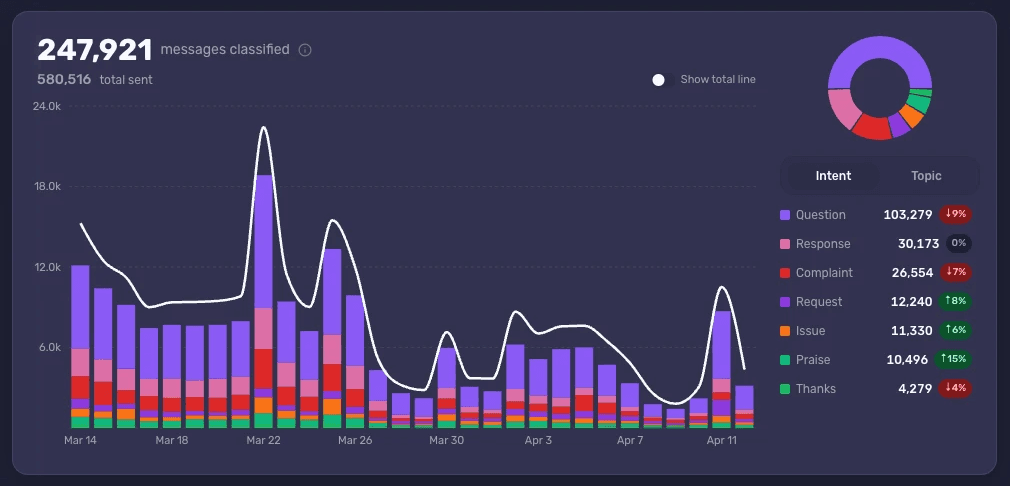
Forum tags are pre-labeled structure. The tagging you use for players is also free structure for analysis. A #bug-reports forum with [open] / [fixed] tags tells you — without any classification work — which bugs are still unresolved, how many got through the last patch, and which surface area is generating the most reports. The tags are the taxonomy.
Forum titles surface themes. The title of a forum post is usually written by a player trying to describe their problem or idea clearly. That's high-signal text. Analysing forum-post titles is often the fastest route to "what's the community actually preoccupied with?" — though leaning only on forum titles introduces its own bias — more concentrated than reading thousands of chat messages.
Mixing them badly hides signal. The most common mistake: running a single mega-channel for feedback where bug reports, feature requests, balance complaints, and off-topic chat all land together. Six months in, it's a wall of text with no structure. Split by intent into the right container — forums for durable content, threads for moment-specific conversation — and what used to be noise becomes queryable.
A practical default
If you're setting up or restructuring a game Discord today, the lowest-regret default:
#general,#patch-notes,#off-topic,#voice-chat— regular text / voice channels.Threads off
#patch-notesand#generalfor spiky, moment-driven discussions.Forum channels for:
#guides,#bug-reports,#feature-requests, and (if you run them)#events-archive.Pinned post in every forum channel explains the tag conventions in two lines.
No mega-channel that's trying to do three jobs at once.
You can always migrate later, but Discord makes both moves possible: you can convert a channel to a forum, and you can split existing chatter into threads after the fact.
The read-back
Structure is the cheapest thing you can change in a Discord server, and it pays back twice — once in how members experience the community, and once in how readable the server is when you go to answer a product question six months later. Threads for transient, forums for durable. That's it.
Analysing a well-structured server is a fundamentally different task from untangling a badly-structured one. The same million messages across two servers — one with a tagged bug-report forum, one without — is not the same dataset.
See what Accord surfaces in your Discord community — book a demo.